
Kids earn coins by answering questions daily. They can use those coins to redeem prizes.
Step 1: Click "Redeem Prizes" on the dashboard
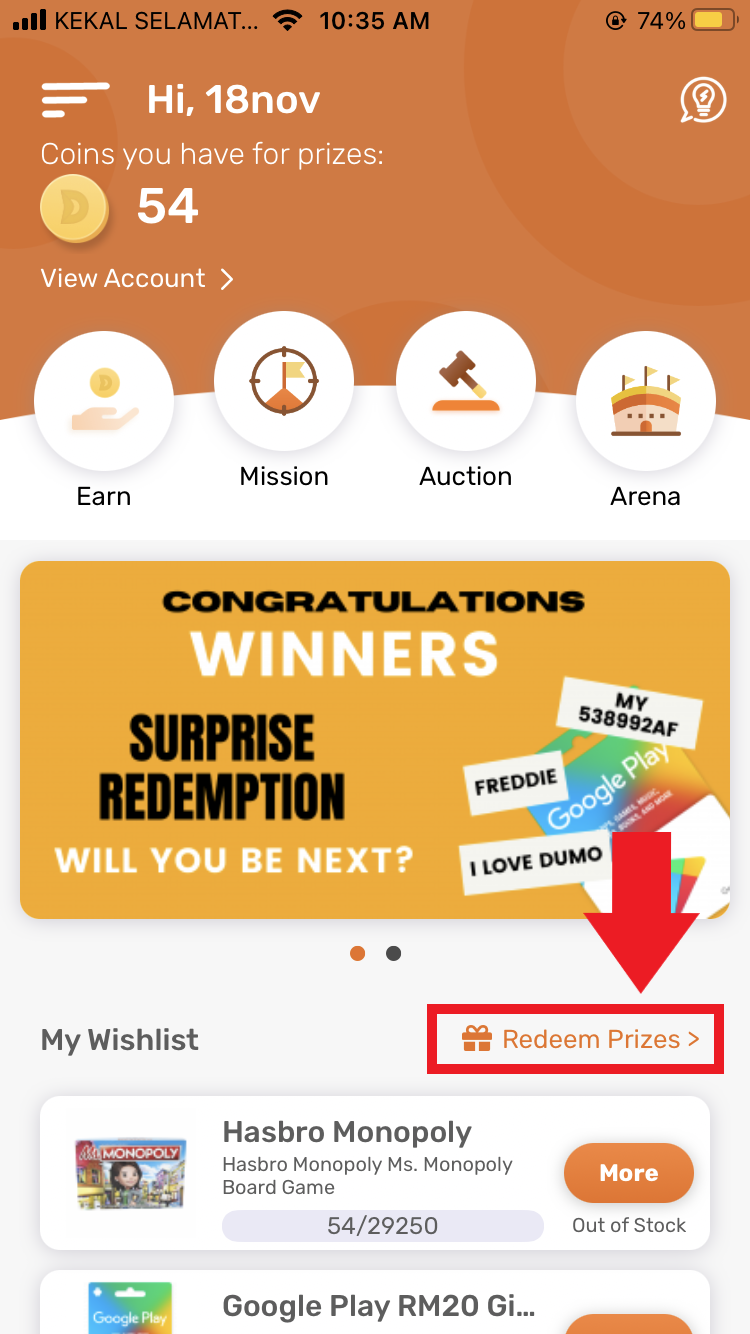
Step 2: Click on your preferred prize

Step 3: In the prize pop-up, click "Redeem" (Once you have enough coins to redeem, the button will be activated and clickable)

You can also add prizes to your wishlist & redeem them. Here are the steps to do so:
- Click "Redeem" on the home page.
- Choose your desired prize and click on the heart at the right of the prize.
- On the catalogue page, click on the orange circle at the bottom right of the page. This will display your wishlist.
- Click "Redeem" on the prize you wish to purchase. Ensure you have sufficient coins to redeem your desired prize.
Comments
0 comments
Please sign in to leave a comment.