
Quantum Learning is an online learning platform which delivers courses to help future-ready kids. By linking your Quantum Learning account with DUMO account, you are able to earn DUMO energy points for completing courses & earning certificates in Quantum Learning. Here are the steps to link your account:
Step 1: In your DUMO Dashboard, click on the side burger menu at top left. In the side menu, select "Linking Account"

Step 2: In the Linking account page, click on the "QLearningLab" tab. Insert the email address you used to register your QLearning lab account and click "Submit"

Step 3: An email will be sent to the email address you submitted. Open that email and click on the button "Confirm Linkage" to complete the linkage of your DUMO and QLearningLab accounts. This email verification step is to ensure no one else can link your QLearningLab account to unauthorized DUMO account.

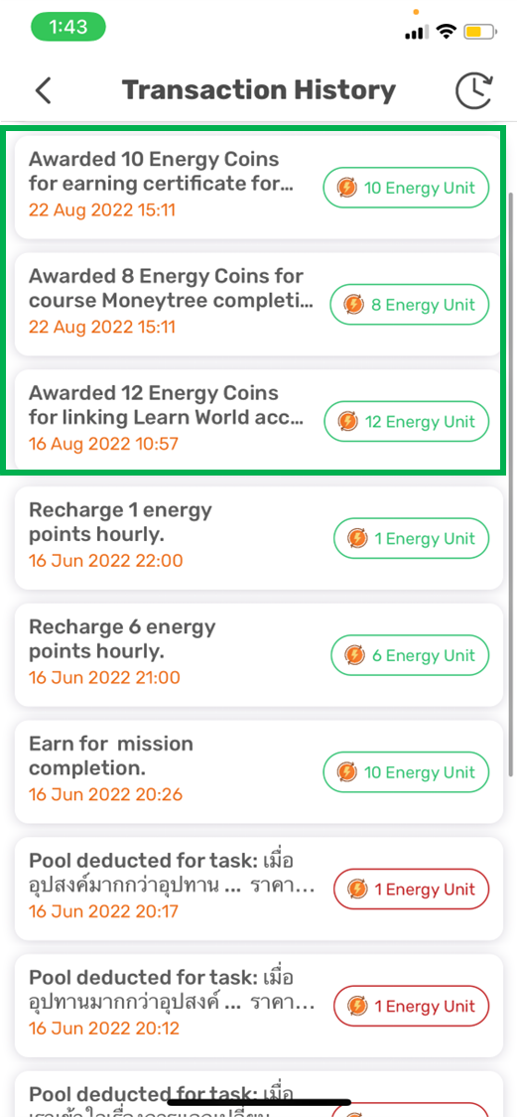
Step 4: Once you have linked your Quantum Leap account to your DUMO account, you will be able to earn DUMO "Energy" for completing courses & earning certificates in Quantum Leap. All these Energy will help you win prizes in DUMO! All your Energy earnings from Quantum Leap can be seen in your "Energy Transaction History" page in DUMO.
For more information about Quantum Learning, visit: https://www.qlearninglab.com
Comments
0 comments
Please sign in to leave a comment.