
If you have forgotten your username, you may retrieve it conveniently for the app. You may only retrieve your username if you have previously entered your mobile number when logging into the account for the first time. Here are the steps to retrieve your username:
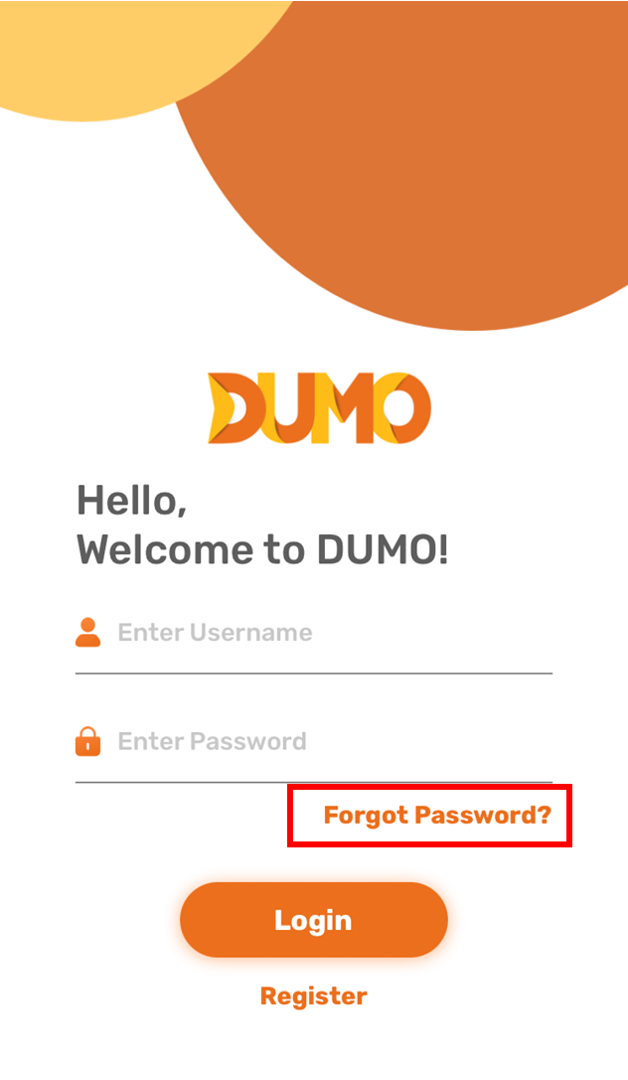
1. In the login screen, click "Forgot Password"
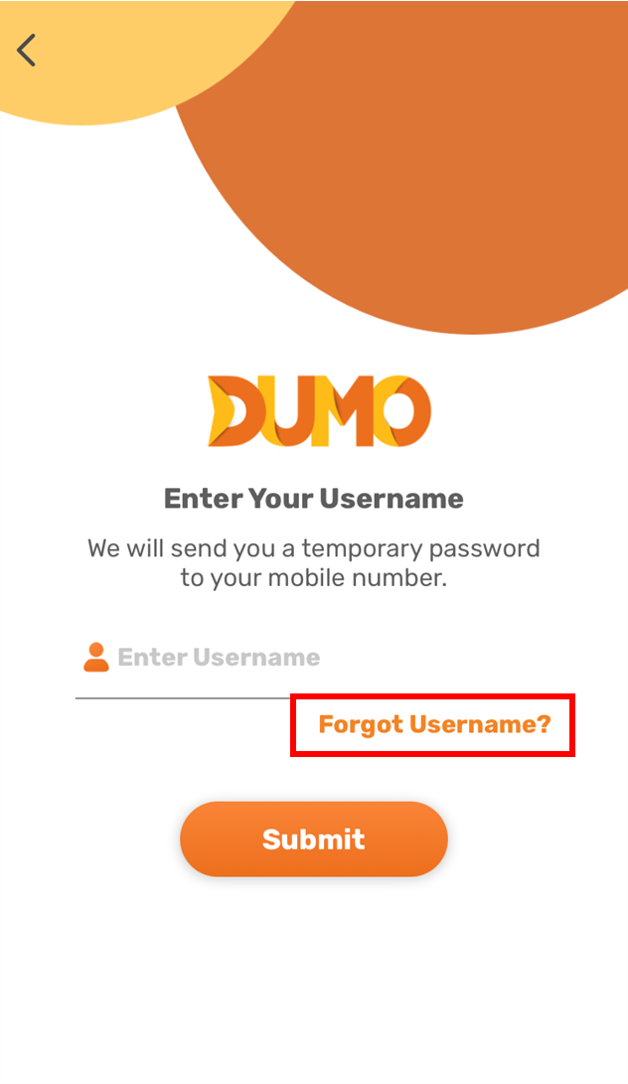
2. In the Forgot password screen, click "Forgot Username"
3. Enter your mobile number and click submit
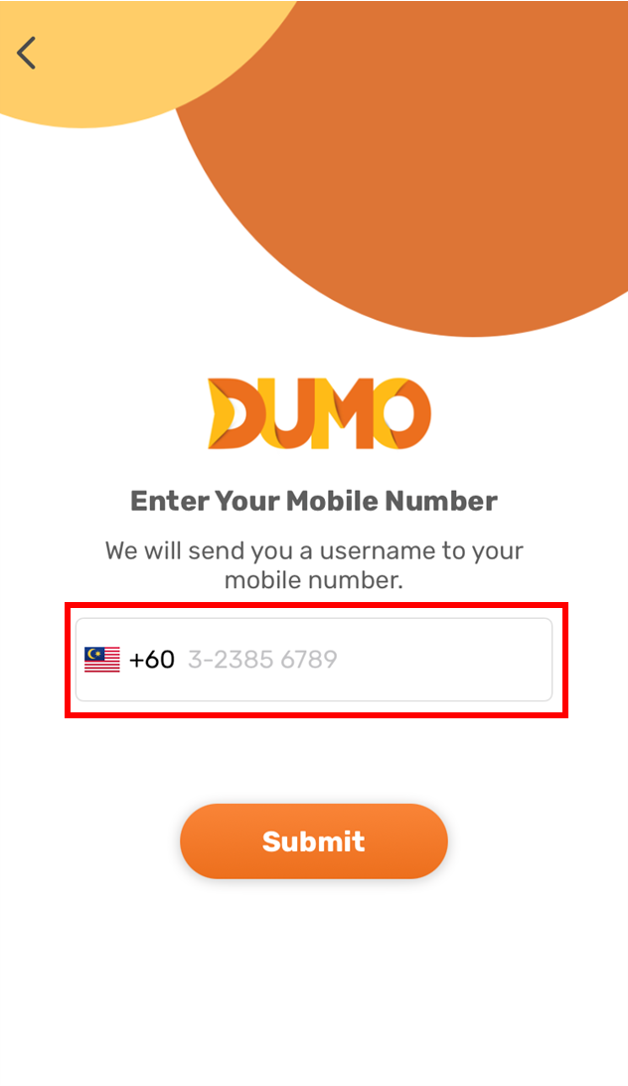
A text message containing the username of all DUMO accounts registered using your mobile number will be sent to you. Use that username to login to your DUMO account. If you need assistance resetting your password for the retrieved username/account, please follow these instructions:
https://dumohelp.zendesk.com/hc/en-us/articles/900005000883-Forgot-password
Comments
0 comments
Please sign in to leave a comment.